Contents · 27
- What Is an HTML Website?
- What Is WordPress?
- Speed - Who Wins?
- Security - Where Is Your Data Safer?
- SEO - Which Site Ranks Better in Google?
- Costs - Which Is Cheaper to Maintain?
- Unique Design - Who Offers More Possibilities?
- Summary of Pros and Cons
- HTML Website - Pros and Cons
- WordPress - Pros and Cons
- Core Web Vitals - Why Does Google Reward HTML Sites?
- Three Metrics That Decide Your Google Ranking
- Mobile-First Approach - Which Looks Better on a Phone?
- Case Study - How Switching from WordPress to HTML Improves Results
- A Service Company from Wrocław - Before and After Migration
- Scalability and the Future - What Will It Look Like in 5 Years?
- Accessibility - Why It Matters and Who Does It Better?
- Frequently Asked Questions (FAQ)
- Is an HTML website faster than WordPress?
- Is an HTML website more secure than WordPress?
- How much does it cost to maintain an HTML site compared to WordPress?
- When is WordPress the better choice over HTML?
- What are Core Web Vitals and why do they affect rankings?
- Can I add new pages to an HTML site later?
- When to Choose HTML and When WordPress?
- HTML vs WordPress in 2026 - an Updated Perspective
- Our View - Why We Bet on HTML
You are facing the decision to build a website for your company and wondering which technology to choose? It is one of the most important questions to ask before you invest money in your online presence. The two most popular approaches are a site written in plain HTML/CSS or a site built on WordPress. Each has its strengths and weaknesses - and in this article we will discuss them honestly.
As an agency with more than 10 years of experience, we have built many sites in both technologies. We see every day how the choice of platform affects our clients' business success. That is why we want to share our knowledge with you, so you can make an informed decision.
What Is an HTML Website?
An HTML website (often called a static site) is a site written by hand in HTML, CSS and optionally JavaScript. Every element of the page is designed and coded from scratch by a developer. There is no content management system, no plugins, no database - just clean, optimised code.
Imagine it like this: an HTML site is a tailor-made suit. Every element is fitted exactly to your needs. Nothing is too much, nothing is unnecessary.
What Is WordPress?
WordPress is a content management system (CMS) that powers more than 40% of all websites in the world. It runs on a server using the PHP language and a MySQL database. Users can manage content through an admin panel, install themes (design templates) and plugins (extra functionality) without knowing how to code.
Continuing the analogy - WordPress is a suit bought off the rack. You can choose the size and colour, but it is not made specially for you. It is universal and convenient, but may not fit every situation perfectly.
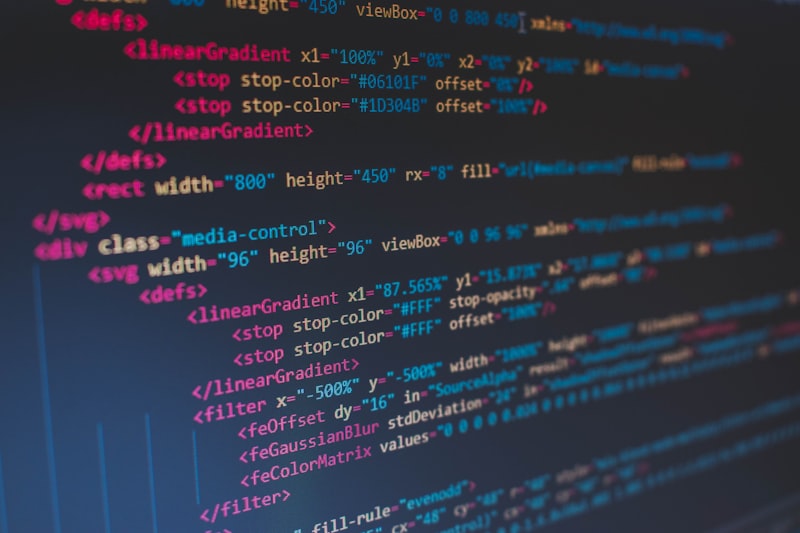
Clean HTML code - transparent, fast and fully under the developer's control.
Speed - Who Wins?
There is no debate here - HTML sites are decidedly faster. Why? Because when someone visits your site, the server simply sends a ready-made HTML file to the browser. There is no processing, no database queries, no generating the page on the fly.
WordPress, on the other hand, has to run a PHP script every time, connect to the database, fetch the content, pass it through the theme and all active plugins, and only then send the finished page to the user. All of that takes time.
Google research shows that 53% of mobile users leave a site if it takes longer than 3 seconds to load. Every second of delay reduces conversion by about 7%. Speed is not a luxury - it is a necessity.
< 1s
2-5s
53%
Of course, WordPress can be sped up with caching plugins, a CDN and optimised hosting. But why pay more for solutions to a problem that simply does not exist with an HTML site?

A PageSpeed test shows the specific metrics Google uses to assess a site - and HTML sites win by a landslide in every measurement.
If you plan to rank your site, it is also worth planning an SEO audit, which will identify the technical issues affecting speed and visibility in Google.
Security - Where Is Your Data Safer?

Website security is a key aspect that affects customer trust.
This is where HTML sites have a huge advantage. A static site has no database, no login panel, no plugins with potential vulnerabilities. The attack surface is minimal - because there is practically nothing to attack.
WordPress is a completely different story. As the most popular CMS in the world, it is also the most common target of hacker attacks. The statistics are worrying:
- An estimated 13,000 WordPress sites are hacked every day
- that is 9 attacks per minute
- WordPress accounts for 90% of all hacked sites built on a CMS
- 99.4% of security vulnerabilities in the WordPress ecosystem come from themes and plugins
- 52% of all vulnerabilities are caused by outdated plugins
That does not mean WordPress is inherently insecure - the core of the system is well protected. The problem lies in the add-ons: themes, plugins and neglected updates. If you decide on WordPress, you must update the system regularly, monitor security and invest in professional technical care.

Website security starts with architecture - the fewer elements there are to attack, the lower the risk of an incident.
SEO - Which Site Ranks Better in Google?
WordPress has a reputation as an SEO-friendly platform, mainly thanks to plugins such as Yoast SEO or Rank Math, which make content optimisation easier. And indeed - for people without technical knowledge that is a huge help.
But the truth is that an HTML site can achieve exactly the same (and often better) SEO results. Why? Because:
- Loading speed is one of Google's key ranking factors - and HTML sites load instantly
- Clean code without unnecessary scripts and styles is easier for search engine bots to index
- Full control over meta tags, heading structure, schema markup and all technical SEO elements
- No redundant code - WordPress generates a lot of excess code from themes and plugins, which slows down indexing
At our agency we take care of comprehensive SEO for every project, including local SEO - regardless of the technology. But we must admit that HTML sites give us far more freedom in technical optimisation. You can find more about the technical aspects in our guide to technical SEO step by step.

Good SEO optimisation is the key to visibility in search engines.
Costs - Which Is Cheaper to Maintain?
At first glance WordPress may seem cheaper - after all, the system itself is free and the internet is full of cheap templates. But that is only part of the picture. The real costs show up over time:
| Aspect | HTML | WordPress |
|---|---|---|
| Hosting | Cheap (static files) | More expensive (PHP + database) |
| Updates | Not needed | Regular (core + plugins) |
| Security | Minimal risk | Requires monitoring |
| Premium plugins | Not applicable | 50-500 PLN/year each |
| Maintenance | Low | Ongoing (100-500 PLN/month) |
Over 3-5 years an HTML site is usually cheaper to maintain. There is no risk that a plugin update will break your site on a Friday evening, you do not have to pay for premium security plugins and you do not need expensive hosting with PHP support. Check our price list to see which packages we offer.
Unique Design - Who Offers More Possibilities?
If you want your site to look exceptional and not resemble thousands of other websites on the internet, an HTML site gives you unlimited possibilities. Every pixel, every animation, every element is designed specially for you.
WordPress relies on themes (templates), which are universal by definition. Even if you customise colours and content, the basic structure and layout remain the same as at thousands of other companies using the same theme. Page builders (Elementor, Divi) offer more flexibility, but they also generate huge amounts of unnecessary code, which slows the site down.
A unique design sets your company apart from the competition.
Take a look at our portfolio - every project is different, because every one was built from scratch, tailored to the character of the client's brand. That is a value no ready-made template can deliver.
Summary of Pros and Cons
HTML Website - Pros and Cons
Pros
- Lightning-fast page loading
- Maximum security
- Low maintenance costs
- Full control over the code
- Unique, one-of-a-kind designs
- Better results in Google
Cons
- Requires a developer for changes
- Harder to add content yourself
- Higher initial cost
- Less suitable for large blogs
WordPress - Pros and Cons
Pros
- Easy content management
- Rich plugin ecosystem
- Lower initial cost (templates)
- Good for sites with a lot of content
Cons
- Slower loading
- A frequent target of hacker attacks
- Requires regular updates
- Higher maintenance costs
- Template-based, repetitive look
- The problem of too many plugins
Core Web Vitals - Why Does Google Reward HTML Sites?
Since 2021 Google has officially made Core Web Vitals one of the key ranking factors. They are three metrics that measure the user experience on your site - and this is where HTML sites have a huge, measurable advantage over WordPress.
Three Metrics That Decide Your Google Ranking
- LCP (Largest Contentful Paint) - measures how quickly the main content of the page loads. Google requires a result under 2.5 seconds. HTML sites typically achieve 0.5-1.2s, while WordPress with a theme and plugins often exceeds 3-4s
- INP (Interaction to Next Paint) - measures how quickly the page responds to clicks and user interactions. An HTML page without heavy plugin JavaScript responds practically instantly. WordPress with Elementor, WooCommerce and 15 plugins often has delays of 200-500ms
- CLS (Cumulative Layout Shift) - measures whether page elements "jump" while loading. An HTML page with properly written code has a CLS close to zero. WordPress with dynamically loaded ads, fonts and plugins often produces annoying layout shifts
95+
40-65
53%
You can check this yourself - go to Google's PageSpeed Insights and test any WordPress site, then compare it with our website. The difference is immediately visible. This is not marketing
- it is hard data that Google uses to rank your site. You will find more about optimising for search engines in our article on SEO and website ranking.
In practice this means that an HTML page with identical content will rank higher in Google than the same content on WordPress - simply because Google favours sites that load quickly and give the user a better experience.
Mobile-First Approach - Which Looks Better on a Phone?
Since 2019 Google has used Mobile-First indexing, which means it evaluates your site primarily on the basis of its mobile version. More than 60% of all internet traffic comes from mobile devices - in some industries (food service, local services) it is even 75-80%.
An HTML site gives you full control over how it looks and works on every device. Every element of responsiveness is written by hand, optimised and tested. There are no unnecessary scripts that slow the site down on weaker phones. There are no elements that "fall apart" on smaller screens.
WordPress with page builders (Elementor, Divi, WPBakery) generates huge amounts of nested HTML and CSS, which often causes problems on mobile devices:
- Elements overlapping on smaller screens
- Text too small to read without zooming
- Buttons too small to tap comfortably with a finger
- Images that do not scale properly and slow loading on mobile networks
- Unnecessary JavaScript from plugins that drains the phone battery and slows interactions
At our agency every project starts with mobile design - we first create the ideal view on a phone and only then extend it to larger screens. This approach guarantees that your customers - regardless of device - will see a site that looks professional and works flawlessly.
Case Study - How Switching from WordPress to HTML Improves Results
So we are not just making claims, we will show a typical scenario we see with our clients who decide to move from WordPress to an HTML site.
A Service Company from Wrocław - Before and After Migration
The client ran a service company with a WordPress site using the Divi theme and 22 active plugins. The site loaded in 4.2 seconds on desktop and 6.8 seconds on mobile. The PageSpeed Score was 38/100 on mobile. The client spent 3,000 PLN a month on Google Ads, but the bounce rate was 68% - most people left the site before it even finished loading.
After migrating to an HTML site built from scratch, with the same content and the same design (but optimised and written by hand):
0.8s
96/100
-42%
- Load time fell from 4.2s to 0.8s (an 81% improvement)
- PageSpeed Score rose from 38 to 96 on mobile
- Bounce rate fell from 68% to 39%
- The number of contact form enquiries rose by 55% within the first 3 months
- Hosting costs fell from 120 PLN/month to 25 PLN/month
- No more regular updates of WordPress, the theme and plugins
- Zero security incidents (previously 2 break-ins within a year)
With the same advertising budget (3,000 PLN/month) the client started generating 55% more enquiries - not thanks to higher ad spend, but because the people who clicked the ad actually stayed on the site and contacted the company.
Scalability and the Future - What Will It Look Like in 5 Years?
A common question we hear: "What if in 2 years I need to add something?". It is a reasonable question and the answer is simpler than you think.
An HTML site is like a solid brick house - it stands firm and you can add more rooms at any time. It does not depend on outside companies (theme or plugin authors) who may stop updating their products. It does not require migrating to a new system version every few years. HTML code from 2020 works exactly the same in 2026 - and will work in 2030.
WordPress, on the other hand, needs constant attention:
- Updates of the WordPress core (4-5 times a year, including major updates every six months)
- Theme updates (if the author still develops it)
- Updates of every plugin separately (an average WP site has 20-30 plugins)
- The risk of conflicts between plugins after an update - often a single update "breaks" the whole site
- Premium themes and plugins require annual licence renewals
- The PHP version on the server must be current - older versions pose a security risk
Over 5 years an HTML site means peaceful sleep. A WordPress site means constantly asking "did something break today?". Many of our clients come to us for exactly this reason - tired of constant problems with updates and plugins on WordPress.
Accessibility - Why It Matters and Who Does It Better?
Website accessibility (WCAG) is a topic that is becoming ever more important - from an ethical and legal perspective as well as for SEO. Google increasingly favours sites that are accessible to all users, including people with disabilities.
An HTML site written from scratch gives you full control over accessibility:
- Semantic HTML (correct use of headings, lists, articles, navigation)
- ARIA attributes where needed - but not excessive (many WP themes overuse ARIA)
- Correct colour contrast and readable fonts
- Full keyboard navigation without focus "traps"
- Correct form labels and error messages
WordPress themes often generate non-semantic code (div in div in div...), have problems with keyboard navigation and do not meet WCAG standards. Fixing these problems in a ready-made theme is often harder than writing a site from scratch.
Frequently Asked Questions (FAQ)
Is an HTML website faster than WordPress?
Yes. An HTML page loads in under 1 second, while a typical WordPress site takes 2-5 seconds. An HTML page needs no PHP processing and no database queries - the server simply sends a ready-made file to the browser. That is a huge difference, which affects user experience and Google rankings.
Is an HTML website more secure than WordPress?
Definitely. An HTML page has no database, no login panel and no plugins with potential security vulnerabilities. WordPress is the most common target of hacker attacks - an estimated 13,000 WordPress sites are hacked every day. A static site has a minimal attack surface.
How much does it cost to maintain an HTML site compared to WordPress?
An HTML site is significantly cheaper to maintain. It needs cheap hosting (static files - from 15-25 PLN/month), no regular updates and no paid plugins. WordPress needs more expensive hosting with PHP and database support (80-200 PLN/month), regular updates, often paid plugins (50-500 PLN/year each) and a fixed maintenance cost (100-500 PLN/month). You will find a detailed cost overview in the article how much a website costs in 2026.
When is WordPress the better choice over HTML?
WordPress works better when you run a blog with very frequent posts (daily or several times a week), need an online shop with hundreds of products (WooCommerce), want to manage content entirely on your own without any technical help, or have a very limited initial budget and accept higher maintenance costs in the longer term.
What are Core Web Vitals and why do they affect rankings?
Core Web Vitals are three Google metrics that measure user experience: LCP (loading speed of the main content), INP (speed of response to interactions) and CLS (the visual stability of the page). Since 2021 they have been an official ranking factor. HTML sites achieve far better Core Web Vitals results than typical WordPress sites - which translates directly into higher positions in search results.
Can I add new pages to an HTML site later?
Of course. An HTML site is completely scalable. We can add new pages, sections, forms or functionality at any time. The difference is that it requires a developer's work, but in return you have a guarantee that every new element will be as fast and optimised as the rest of the site. In WordPress you can add content yourself, but every new plugin slows the site down and increases the risk of problems.
When to Choose HTML and When WordPress?
Choose an HTML site if:
- You run a business and need a professional online presence
- Speed, security and a unique look matter to you
- You do not plan to add new content every day
- You want a site that "just works" without constant maintenance
- You want to stand out from the competition
Choose WordPress if:
- You run a blog or news site with frequent posts
- You need an online shop (WooCommerce)
- You want to manage content yourself without a developer
- You have a limited initial budget and accept higher maintenance costs
HTML vs WordPress in 2026 - an Updated Perspective
The landscape of web development is changing faster than ever. What was true in 2023 today needs updating. Three trends from 2026 change how we look at the choice between HTML and WordPress - and, interestingly, most of them work in favour of the static approach.
AI builders and code generators (Cursor, GitHub Copilot, v0.dev, Bolt) dramatically lower the cost of building HTML sites from scratch. What once required dozens of hours of manual coding is now built in a few hours with AI assistance. The developer writes a prompt, the AI generates clean code, the developer verifies and optimises it.
The effect: the cost of a custom HTML site has fallen by 40-60% compared with 2023, while code quality has risen. WordPress has not benefited to the same extent - the ecosystem itself is too complex for AI to automate effectively.
Headless CMS (Sanity, Strapi, Contentful, Payload) is a game changer for companies that need content editing without a developer but want to keep the advantages of a static site. A headless CMS separates the editing panel from the presentation layer - you edit content in a convenient CMS, and the site renders as static HTML. You get lightning-fast speed, maximum security and the convenience of WordPress in one. More and more of our clients with a lot of content choose this solution - blogs, shops with a small catalogue, portfolios.
Web Components and progressive enhancement are standards that let you create reusable, isolated interactive elements in plain HTML/CSS/JS, without a framework. A component like "<product-card>" can be used like a WordPress plugin, but without the baggage. The old concept of modularity is coming back in a new, fast form - and it is available for HTML projects without depending on a CMS ecosystem. In practice this means that an HTML site in 2026 can be just as modular and extensible as WordPress, without losing performance.
The conclusion for 2026: the arguments for HTML are becoming even stronger, and the arguments for WordPress (ease of editing, modularity) are gradually being neutralised by new tools. If you are starting a new project today - HTML with an optional headless CMS is the future-proof choice.
Our View - Why We Bet on HTML
As an agency specialising in building sites from scratch, we have a clear position: for most companies an HTML site is the better choice. Not because WordPress is bad - it is a solid platform with many uses. But for a typical company that needs a professional online presence, the benefits of an HTML site are beyond dispute:
A faster site = better Google rankings = more customers. A more secure site = peaceful sleep. A unique site = standing out from the competition. It is simple maths.
Every one of our projects is built from the ground up, with a specific business and its goals in mind. We do not use templates, we do not install unnecessary plugins, we do not compromise. The result? Sites that load in a fraction of a second, look exceptional and attract customers. See for yourself in our portfolio.